Construction project management, made in Australia
Run the whole site from one screen
Programme, safety, quality, documents, site sign-in, payments and HR in one platform, built by a project planner for builders and civil contractors.
The problem
Your project lives in ten different places
Drawings in one system, RFIs in email, SWMS in a folder, the programme in P6, sign-in on a clipboard and payments in spreadsheets. Things get missed, and someone spends every Friday chasing paperwork.
What Siteorva does
Everything the site team needs, connected
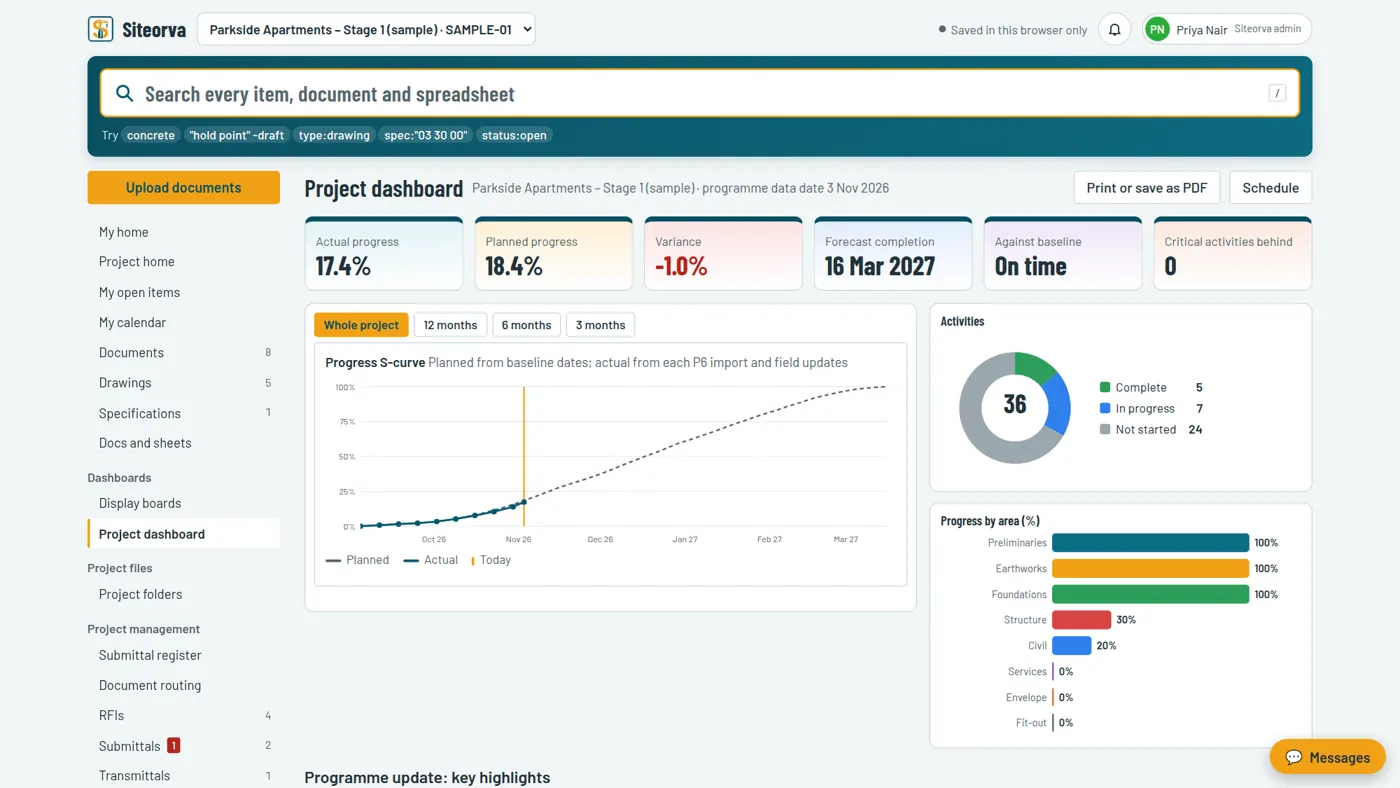
Know exactly where the programme stands
- Import P6 .xer or MS Project .xml every update cycle, with one-click undo
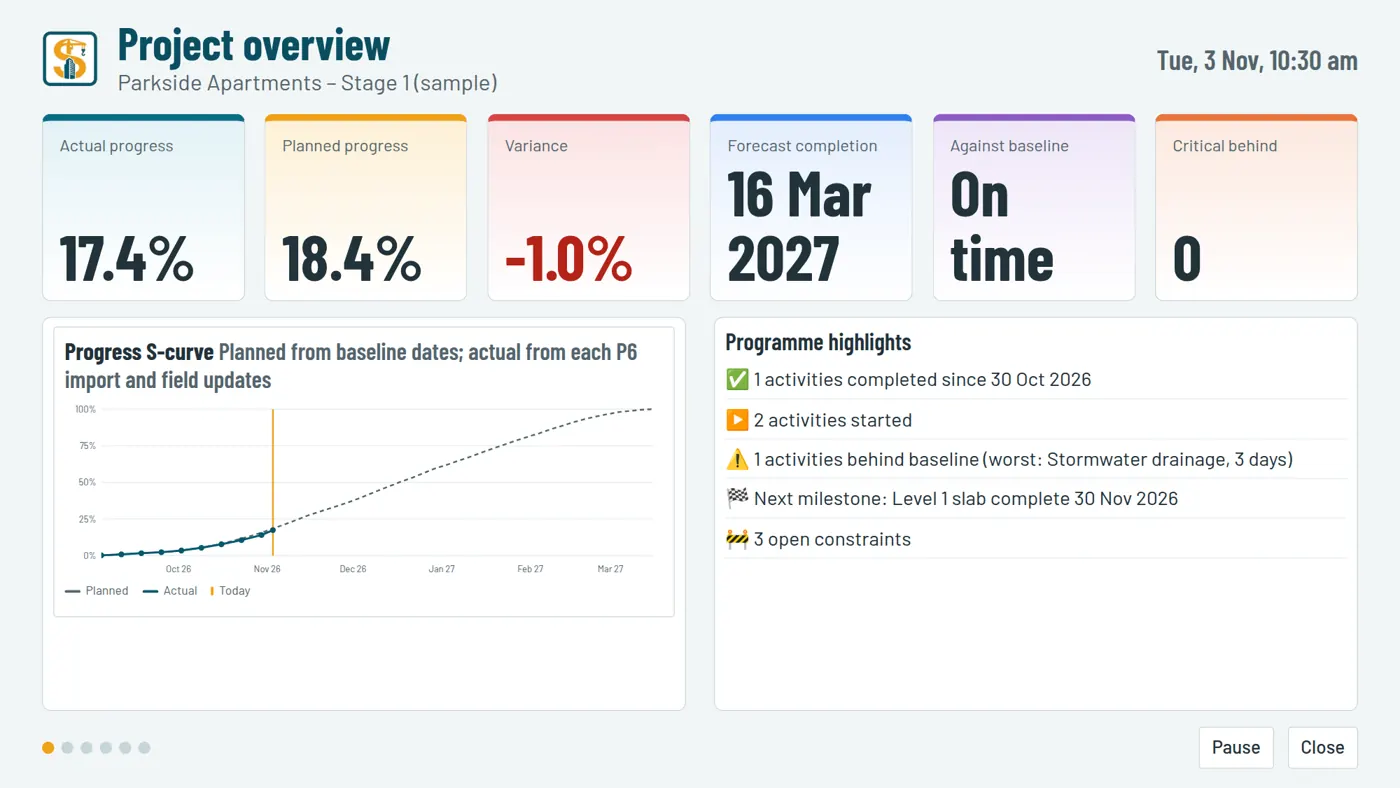
- S-curve, forecast completion and slippage against baseline
- 4-week lookahead, constraints and weekly commitments
- Monthly highlights you can print straight into your report
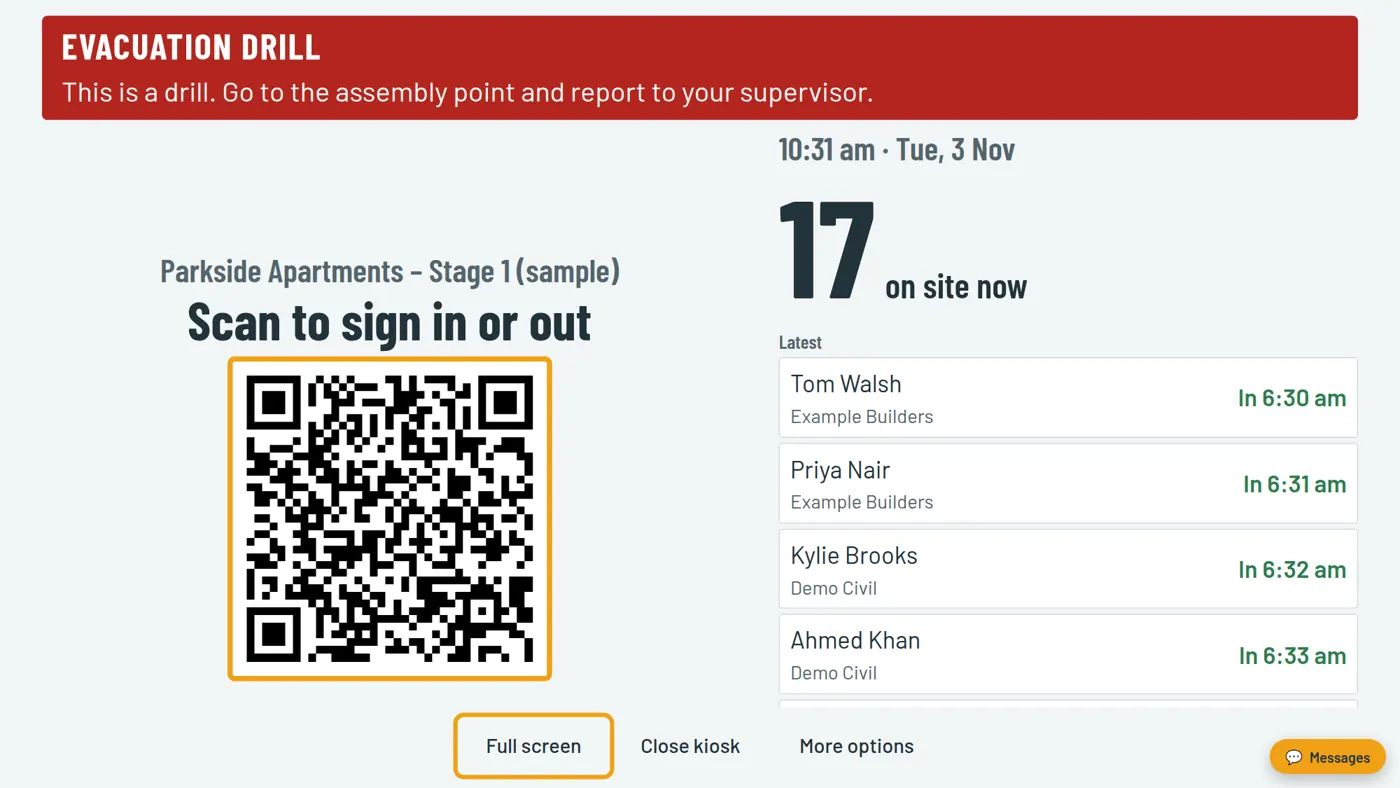
Sign in, passes and roll call without the clipboard
- Workers scan a QR code on the site TV with their phone camera
- Personal site passes, barcode scanners and fraud checks
- Timesheets and payroll hours built automatically
- Emergency alerts on every phone and screen, with a live roll call
Safety and quality that keep up with the work
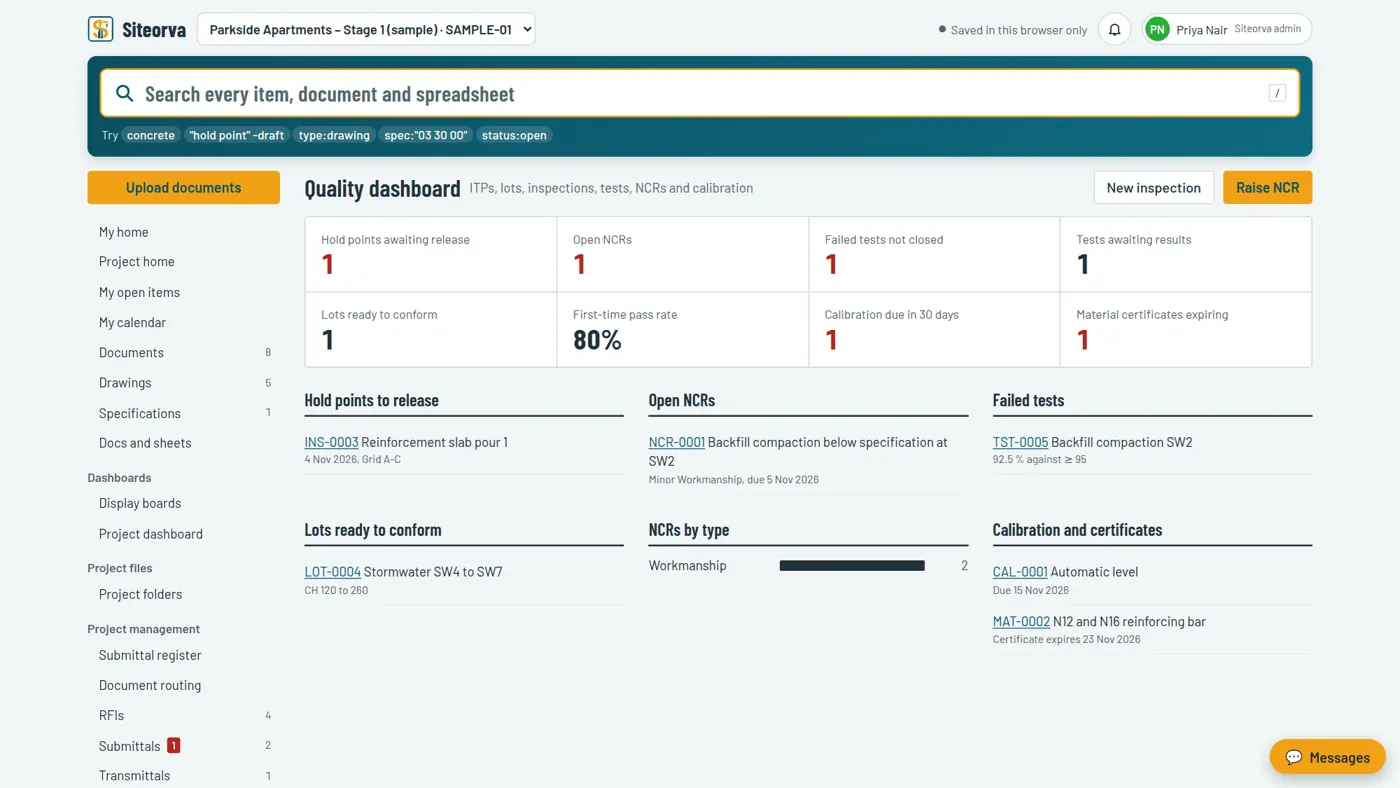
- SWMS, AHAs with risk matrices, permits, inductions and toolbox talks
- ITPs, lots, hold points, test results and NCRs
- Inspection and test requests from subcontractors, approved by your team
Documents and payments with a clear trail
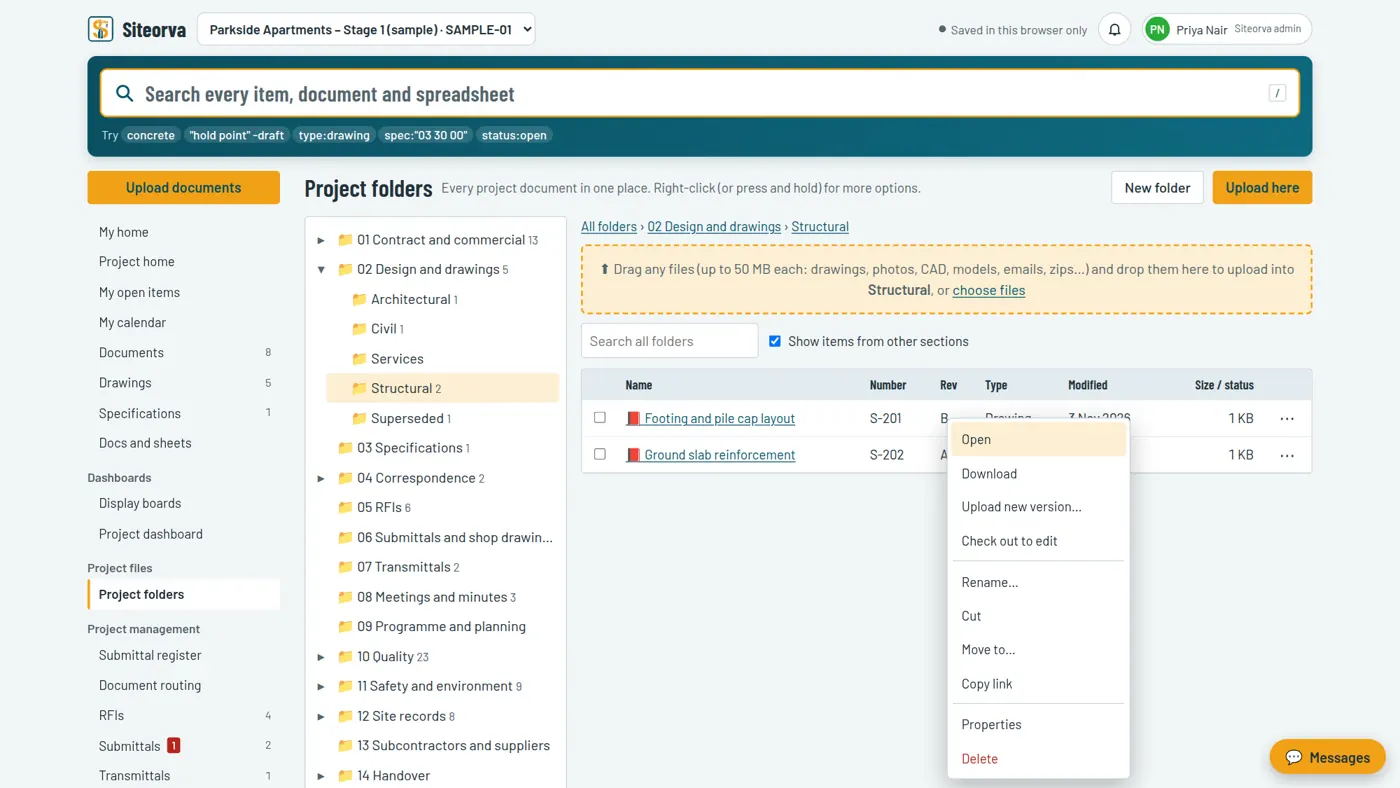
- Familiar project folders with drag and drop, any file type, versions and check-out
- RFIs, submittals, transmittals and minutes as branded PDFs
- Payment approvals in your order (QS, engineer, PM, accounts) with evidence before close
People, HR and payroll in the same place
- Employee profiles completed at first sign-in, with licences and PPE sizes
- Leave, training, policies, reviews and confidential complaints
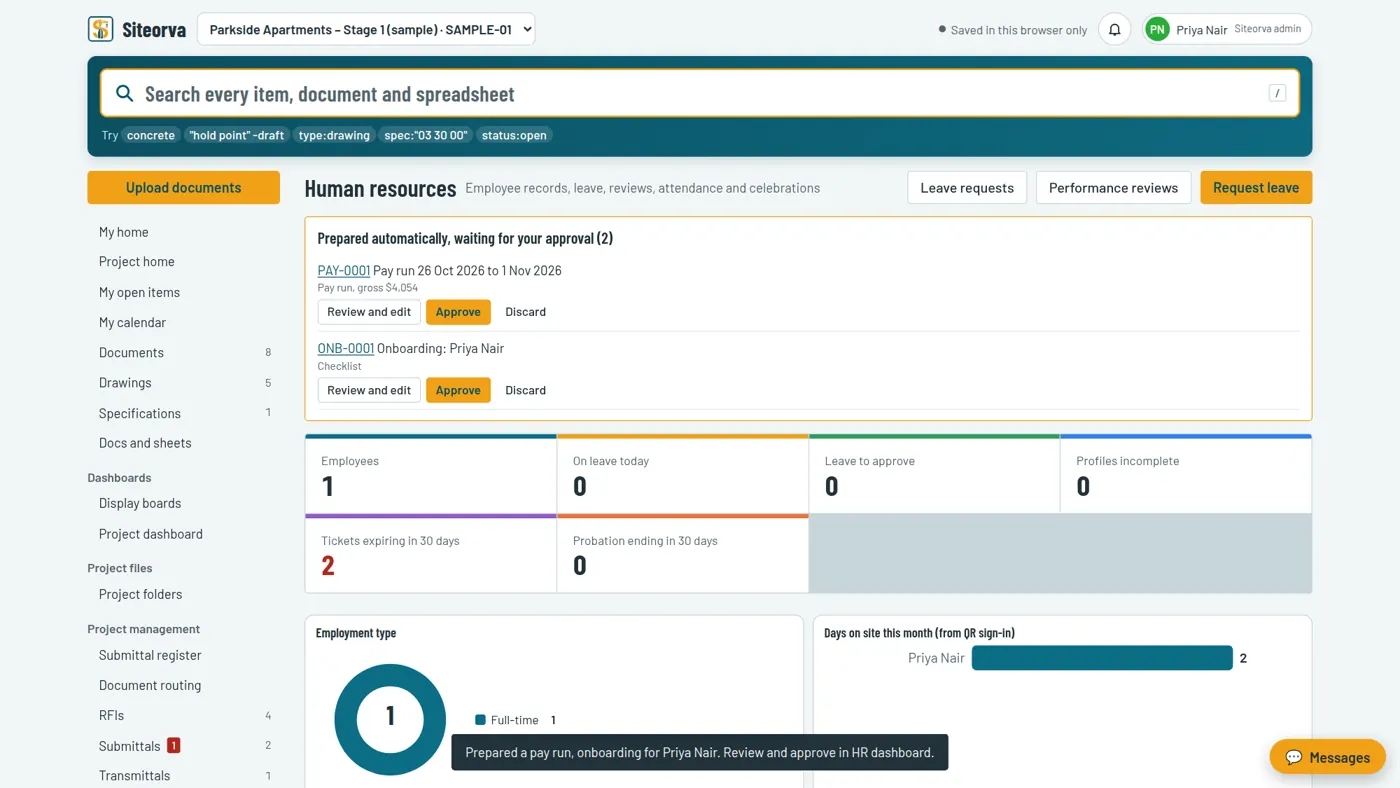
- Pay runs prepared from site sign-in hours, approved by HR
The whole project on the site office TV
- Progress, safety, quality and submittal boards that rotate on their own
- Controlled with a TV remote, readable from across the room
See it in action
A closer look at Siteorva
Real screens from the sample project. Select any image to enlarge it.
For the whole team
One login, the right view for every role
Project managers and planners
Programme, S-curves, lookahead, delays, RACI and approvals in one place.Site supervisors and safety
Daily reports from your phone, sign-in, permits, SWMS and emergency roll call.Accounts and HR
Payment approvals, bank files, payroll hours, leave and employee records.Subcontractors
Raise RFIs and inspection requests, update their lookahead tasks, see only their own work.Clients and consultants
Progress, claims and submittals they're involved in, with nothing else on show.Everyone, anywhere
Installs like an app on phones, tablets and PCs, and works on the site TV.How it works
Running in a day
Set up your project
Add your team and import your P6 or MS Project programme. Folders and templates are created for you.Switch on the site
Put the sign-in QR on a TV or tablet. Workers register once with their phone.Run the job
RFIs, reports, inspections and approvals flow to the right people, and the dashboards update themselves.Plans
Per project, not per person
Unlimited users on every plan, including subcontractors and clients. Talk to us for a quote that fits your projects.
Starter
For a single project
- 1 active project
- Documents, RFIs, daily reports
- Programme, lookahead and calendar
- Unlimited users
Professional
For builders running several jobs
- Up to 3 active projects
- Everything in Starter
- Safety, quality and QR site sign-in
- Display boards and emergency alerts
- Import and export
Enterprise
For larger companies
- Unlimited projects
- Payment approvals and accounts
- HR and payroll
- Help assistant, onboarding and priority support
Questions
Frequently asked questions
Do I pay per user?
No. Siteorva is priced per project with unlimited users, so your whole team, subcontractors and client can join at no extra cost.
Does it work with Primavera P6 and Microsoft Project?
Yes. Import a P6 .xer or Microsoft Project .xml file each update cycle. Siteorva builds the S-curve, four-week lookahead and programme highlights, and you can undo a wrong import in one click.
Do workers need to download an app to sign in?
No. Workers scan the QR code on the site TV or tablet with their phone camera. First time they register, then it's one scan in and out. Site passes and barcode scanners cover anyone without a phone.
Can subcontractors and clients use it?
Yes. They see only what involves their company, can raise RFIs, submittals and inspection requests, and their entries wait for your team's approval.
How long does set-up take?
Most projects are running the same day: create the project, add your team, import your programme and switch on QR sign-in.
Can I try it first?
Yes. The live demo opens a sample project with no sign-up, and a walkthrough with us takes 15 minutes.
See Siteorva on your project
Book a 15-minute walkthrough. We'll show it with your kind of project and answer your questions.
We'll only use your details to arrange the walkthrough.